Written By: David Cosseboom | Updated On: March 25th, 2026
Upgrading to fiber internet offers faster speeds, better reliability, and a more energy-efficient connection for your home
Key Takeaways
- Fiber internet uses light signals through glass strands to deliver faster and more reliable speeds than traditional copper cables.
- It is a highly energy-efficient utility choice, requiring less power to transmit data over long distances and potentially generating a smaller carbon footprint.
- Checking the availability at your new address early ensures you can schedule installation and avoid moving-day connectivity gaps.
Setting up a new home means making countless decisions, and securing a reliable internet connection is often a top priority. Whether you work remotely, stream your favorite shows, or run a network of smart home devices, a lagging connection can be incredibly frustrating. We put together this guide to explain what fiber optic internet is, how fiber vs. cable internet compares, and what you need to know about symmetrical upload speeds, ONTs, and availability before you sign a new contract.
Popular Fiber Internet Providers
 |
| Speeds: Up to 5 Gbps Starting at: $34/month Availability: 21 States Check Availability |
 |
| Speeds: Up to 2.3 Gbps Starting at: $50/month Availability: 10 States Check Availability |
 |
| Speeds: Up to 8 Gbps Starting at: $70/month Availability: 10 States Check Availability |
How Does Fiber Optic Internet Work?
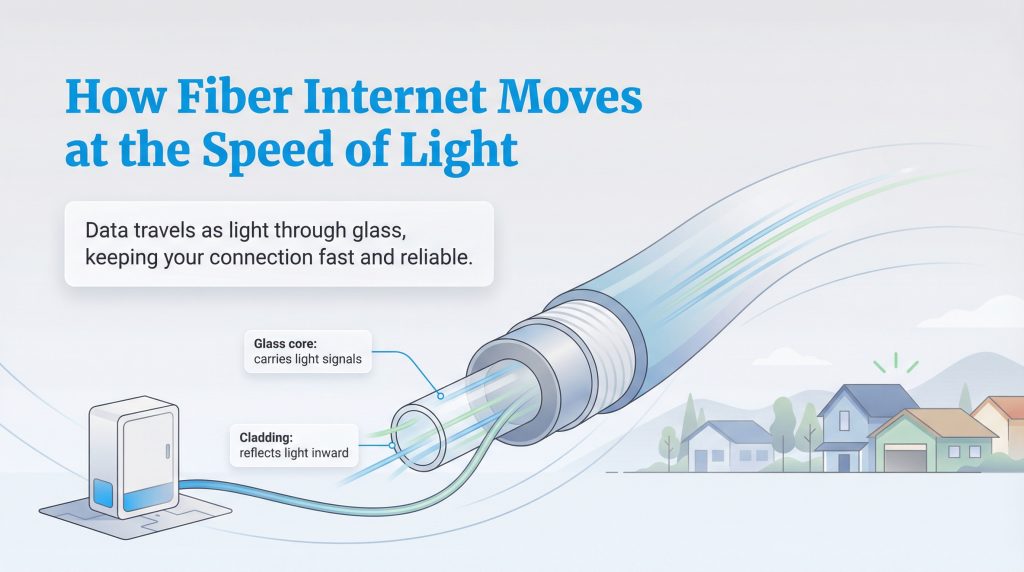
Unlike older technologies that rely on electrical signals sent over copper wire, fiber optic internet takes a completely different approach. This advanced technology transmits data using light signals that travel through incredibly thin strands of glass or plastic. Because light moves so quickly and experiences minimal signal loss over long distances, fiber internet provides a remarkably stable and robust connection. The glass core is surrounded by a reflective cladding that bounces the light inward, keeping the signal incredibly strong even across sprawling neighborhoods. Many fiber plans offer symmetrical upload and download speeds, which is extremely helpful if you upload large video files or work over video calls, though this feature ultimately depends on your specific provider and plan tier. Upgrading to gigabit internet completely transforms how your household experiences the web, often reducing frustrating bottlenecks during high-traffic hours. Whether multiple family members are gaming online or uploading large presentations for work, this technology can handle the load for most households.
Understanding Fiber Types: FTTH vs. FTTN
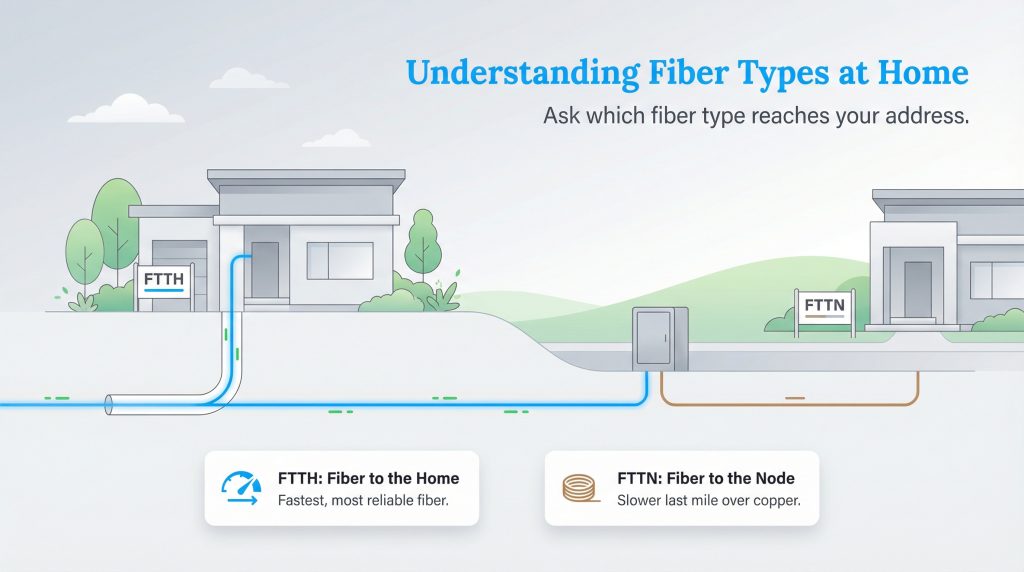
When shopping for a plan, it is important to understand that not all “fiber” connections are identical. Providers frequently market their services as fiber internet, but the actual network architecture determines the speeds you will experience at home. The gold standard is Fiber to the Home (FTTH) or Fiber to the Premises (FTTP), which means the fiber optic cables run directly to your physical residence. This setup guarantees you receive the maximum speed and reliability the network offers.
Conversely, Fiber to the Node (FTTN) only runs fiber optic lines to a central neighborhood hub. From that node, the network relies on older copper or coaxial cables to bridge the final gap to your house. Because this “last mile” uses slower copper technology, FTTN cannot deliver the ultra-fast speeds or low latency of a pure FTTH connection. Always ask the provider to clarify which type of fiber infrastructure reaches your specific address.
Fiber vs Cable Internet: What Is the Difference?
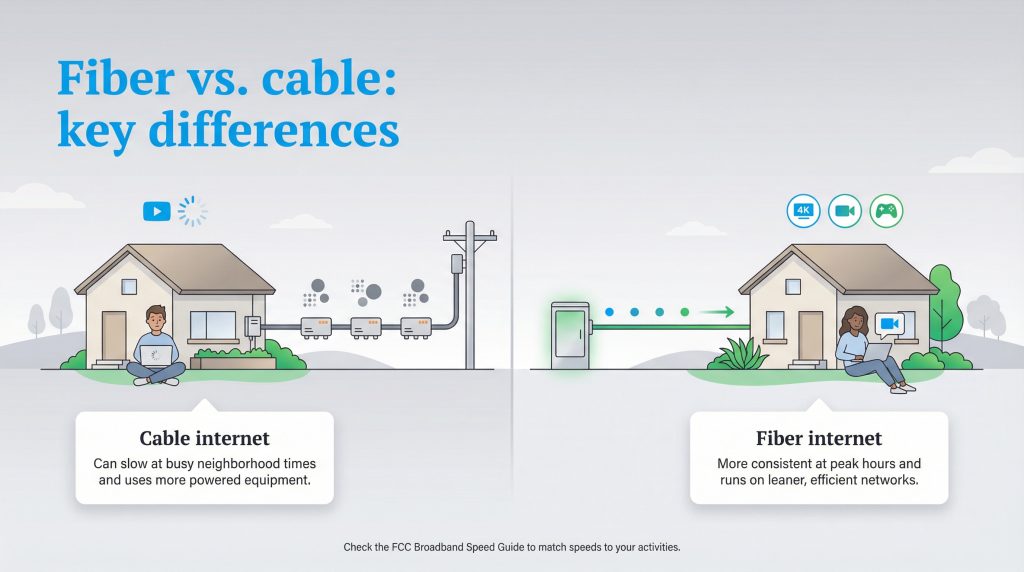
When choosing a provider, you will likely weigh fiber vs. cable internet to see which fits your daily life. Cable internet relies on coaxial cables, the exact same ones traditionally used for cable television, which can be highly prone to network congestion when your neighbors log on during peak evening hours. Fiber, on the other hand, is typically less prone to neighborhood slowdowns than cable, especially during those busy evening periods, though your real-world speeds can still depend on your provider’s network capacity and your home equipment. It also stands up exceptionally well to severe weather, as it is resistant to electrical interference, but outages can still happen if lines or neighborhood equipment suffer physical damage during a storm.
Comparing these two options comes down to more than just raw speed. You have to consider long-term reliability and overall environmental impact as well. Cable networks require numerous signal amplifiers and cooling systems across their infrastructure, drawing significant power to keep the lines functioning. Fiber networks are much leaner, operating efficiently over vast distances without needing constant power boosts. To better understand how these varying performance levels directly impact daily activities like competitive gaming, virtual meetings, or 4K streaming, you can check the FCC’s Broadband Speed Guide.
| Feature | Fiber Internet | Cable Internet |
|---|---|---|
| Speeds | Ultra-fast, often featuring symmetrical upload and download speeds | Fast downloads, but noticeably slower upload speeds |
| Reliability | Highly reliable; typically less prone to neighborhood congestion | Prone to slowdowns during peak evening usage hours |
| Energy Efficiency | Requires less power and cooling infrastructure | Higher energy demand due to signal amplifiers |
The Environmental Impact of Fiber Internet
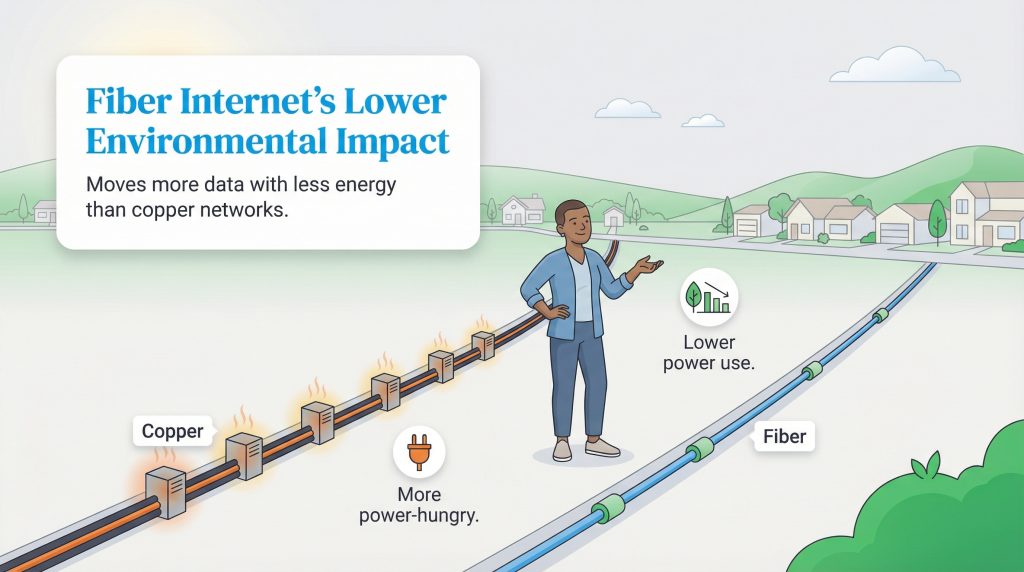
Making an environmentally mindful choice for your utilities goes beyond adjusting the smart thermostat or monitoring your daily water usage. Because fiber can move more data with less signal loss, it can be more energy-efficient for providers to operate, especially over longer distances. Fiber networks inherently demand substantially less electricity to operate than their copper coaxial counterparts. Because light travels efficiently through glass strands without degrading as quickly as electrical signals, internet service providers don’t need to install power-hungry signal amplifiers or robust cooling infrastructure every few miles.
This operational efficiency can translate into a noticeably smaller carbon footprint for the network as a whole. Older copper networks actively consume power just to push electrical signals from one node to the next. In contrast, fiber-optic lines remain passively efficient, making them an excellent energy-saving option for modern communities. Upgrading to an eco-conscious alternative like fiber is an effortless way to modernize your digital life while remaining conscious of your environmental impact.
Eco Edge: Keeping your new home energy-efficient naturally extends to your digital life, making an upgrade to fiber an easy step toward lowering your household impact.
How to Find Fiber Internet Providers Near You
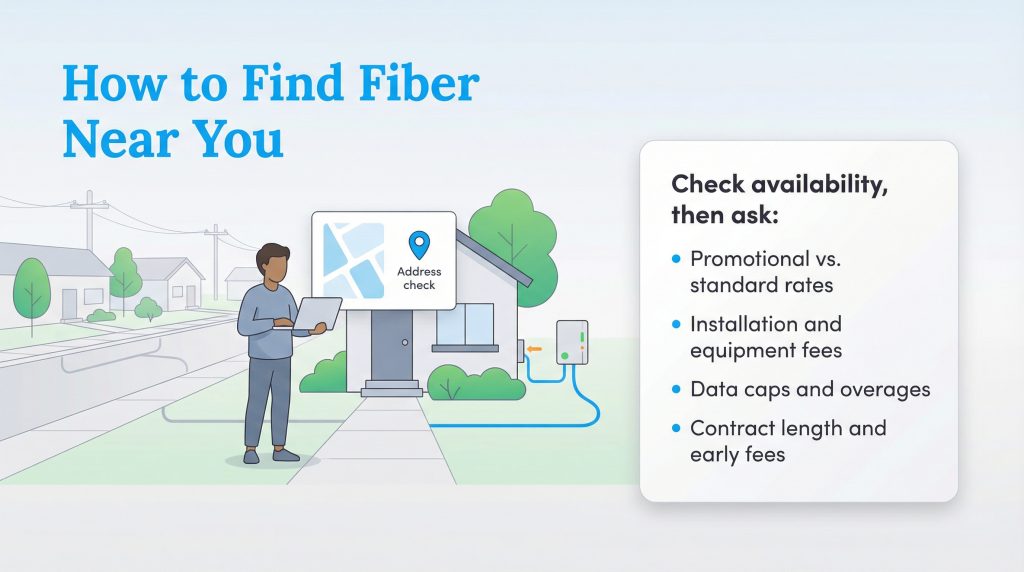
Moving into a fresh space is the ideal opportunity to evaluate your digital infrastructure. When you’re actively managing your moving checklist, verifying your local network options early prevents a stressful gap in connectivity on move-in day. Because fiber networks are still expanding across the country, fiber availability entirely depends on your exact residential address. We recommend checking the official FCC National Broadband Map to see a transparent list of verified providers operating in your new neighborhood.
If your home has never had a fiber connection, the installation process will require a technician to run a fiber optic line from the street directly to your home. Once inside, they will install an Optical Network Terminal (ONT), which translates the light signals into a standard Ethernet connection. If you are renting, you must secure permission from your landlord or property management company before the technician drills any exterior holes.
Once you confirm availability, setting up your internet service requires asking the right questions before locking into an agreement. Providers often run introductory promotions for new movers, so dig into the specific details before committing to a long-term plan. Asking a few targeted questions about pricing factors and installation details upfront helps you avoid unexpected bills down the line:
- Promotional vs. standard rates: What is the standard monthly price after the initial promotional period expires?
- Installation and equipment fees: Are there hidden fees for running the line to your house, or required monthly router rental costs?
- Data caps: Does the plan include strict data limits or charge overage fees for heavy downloading?
- Contract terms: Are you locked into a multi-year agreement, and is there an early termination fee if you move?
Maximizing Your New Fiber Connection
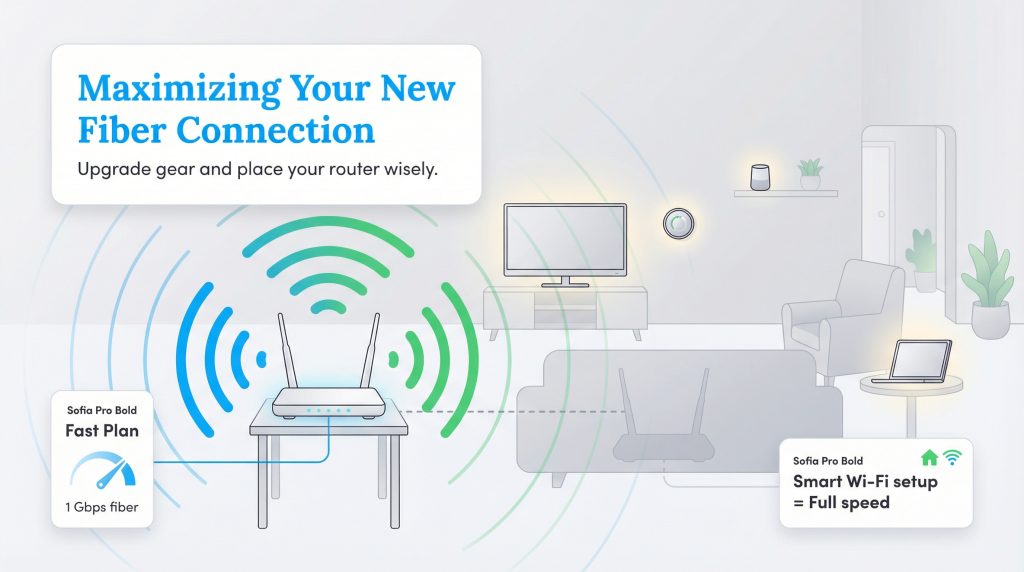
Securing a fast 1 Gbps internet plan is only the first step; your home networking equipment must also be capable of handling those higher speeds. Older routers often throttle performance dramatically, meaning you might pay a premium for ultra-fast fiber but only experience a tiny fraction of the available bandwidth. Upgrading your hardware ensures you unlock the full, robust potential of your new setup. Once you transition to newer, faster equipment, remember to responsibly discard your outdated tech. The EPA’s Electronics Donation and Recycling page offers excellent guidance on keeping electronic waste out of local landfills.
Even the highest-quality router will struggle if it gets buried behind a large sectional couch or shoved into a cramped basement utility closet. Proper placement actively eliminates frustrating dead zones and keeps all your smart home devices running smoothly. In fact, optimizing your wireless network efficiently is just as important as managing energy-draining appliances when dialing in your new home’s performance.
Making the Right Choice for Your Home Connectivity
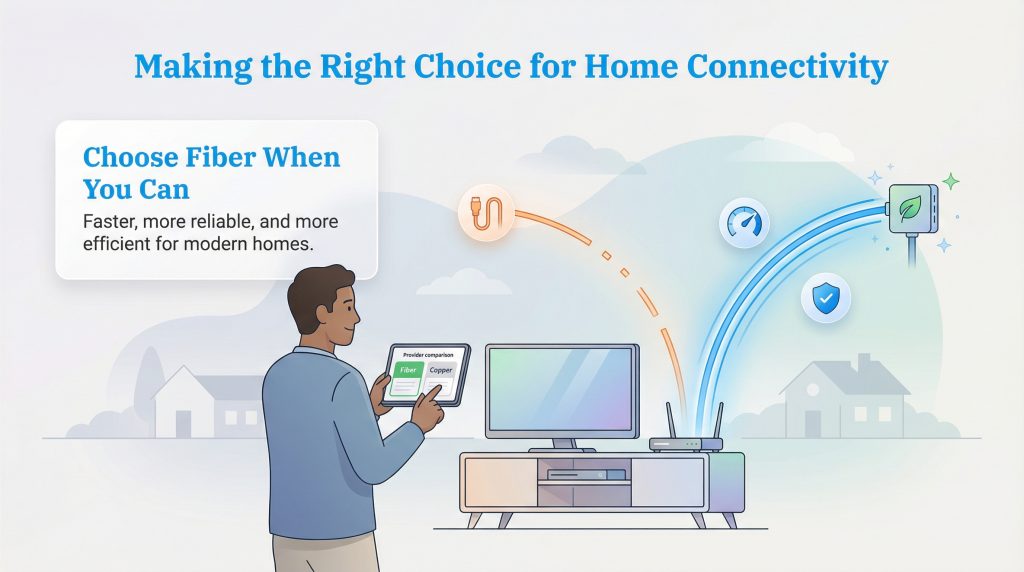
Transitioning to a new residence brings a wave of decisions, and choosing the right digital infrastructure sets the tone for your daily routine. Fiber internet frequently delivers faster speeds, greater reliability during peak hours, and a generally more energy-efficient operation compared to traditional copper wire networks. While expansion efforts are still ongoing in certain rural areas, securing a fiber connection where available is a strong, future-focused option for many households. By thoroughly researching your local providers, verifying the type of fiber network at your address, and asking the right questions about installation and pricing, you can confidently take control of your home connectivity and ensure a seamless digital experience.
Fiber Availability by State
| State | Fiber Availability | 1 Gig Fiber Availability |
|---|---|---|
| Alabama | 36.44% | 35.38% |
| Alaska | 8.23% | 5.54% |
| Arizona | 15.11% | 3.91% |
| Arkansas | 41.35% | 40.68% |
| California | 31.56% | 31.25% |
| Colorado | 31.71% | 13.62% |
| Connecticut | 55.73% | 55.17% |
| Delaware | 47.31% | 0.28% |
| District of Columbia | 55.45% | 3.52% |
| Florida | 37.49% | 33.92% |
| Georgia | 43.71% | 43.06% |
| Hawaii | 45.79% | 0.31% |
| Idaho | 25.13% | 16.67% |
| Illinois | 29.5% | 29% |
| Indiana | 45.02% | 44.78% |
| Iowa | 50.49% | 42.36% |
| Kansas | 50.3% | 48.6% |
| Kentucky | 50.55% | 49.9% |
| Louisiana | 30.78% | 29.07% |
| Maine | 33.17% | 31.13% |
| Maryland | 55.43% | 3.07% |
| Massachusetts | 43.6% | 4.37% |
| Michigan | 20.73% | 20.39% |
| Minnesota | 37.02% | 27.03% |
| Mississippi | 46.35% | 46.19% |
| Missouri | 41.61% | 40.2% |
| Montana | 25.45% | 18.17% |
| Nebraska | 59.48% | 46.28% |
| Nevada | 20.5% | 8.23% |
| New Hampshire | 45.05% | 44.92% |
| New Jersey | 59.43% | 21.62% |
| New Mexico | 16.46% | 14.68% |
| New York | 59.94% | 48.15% |
| North Carolina | 37.55% | 35.8% |
| North Dakota | 61.41% | 58.68% |
| Ohio | 37.04% | 35.44% |
| Oklahoma | 43.82% | 42.75% |
| Oregon | 39.42% | 24.99% |
| Pennsylvania | 45.14% | 8.01% |
| Puerto Rico | 48.35% | 48.35% |
| Rhode Island | 76.13% | 0% |
| South Carolina | 40.76% | 37.01% |
| South Dakota | 49.55% | 43.41% |
| Tennessee | 53.06% | 52.86% |
| Texas | 45.31% | 44.75% |
| Utah | 52.28% | 44.94% |
| Vermont | 39.24% | 37.76% |
| Virginia | 50.91% | 10.91% |
| Washington | 30.53% | 18.39% |
| West Virginia | 23.14% | 20.48% |
| Wisconsin | 31.76% | 30.27% |
| Wyoming | 25.32% | 24.67% |
FAQs about Fiber Internet
What is fiber internet?
Is fiber internet better than Wi-Fi?
Do I need a special router for fiber internet?
Why is fiber internet considered an eco-conscious alternative?
How much does fiber internet typically cost?
Is fiber internet available in apartments and rentals?
Does fiber improve ping and latency for gaming?
About the Author

David has been an integral part of some of the biggest utility sites on the internet, including InMyArea.com, HighSpeedInternet.com, BroadbandNow.com, and U.S. News. He brings over 15 years of experience writing about, compiling and analyzing utility data.